
PIE software is the category of tools that connects three jobs: post-production of creative files, image and asset management, and e-commerce distribution to storefronts and channels. It is the operations layer that sits between the systems that hold product data (PIM, ERP) and the storefronts that sell - the layer responsible for turning raw shoots into channel-ready imagery at scale.
If you are evaluating tooling for a content studio or a brand's in-house production team, "PIE software" is the term you will increasingly see used to describe what the industry used to call "the studio's stack" - sample tracking, retouching queues, asset libraries, and channel delivery, glued together. This guide gives you the working definition, the capabilities, the difference between PIE and adjacent systems (DAM, PIM, MAM), and when a studio actually needs one.
PIE software definition
In practical terms, PIE software is a content operations platform whose job is to industrialize the path from a physical sample to a published e-commerce asset. The acronym expands to:
- P - Post-production. Retouching, masking, color correction, ghost-mannequin compositing, format conversion, and quality review. The work that happens after capture and before delivery.
- I - Image management. Structured storage of finished assets with metadata, version history, rights, and renditions. The library that downstream channels actually pull from.
- E - E-commerce. Channel-aware distribution to PIM, DAM, marketplace, and storefront systems, with the right crop, ratio, and file format for each destination.
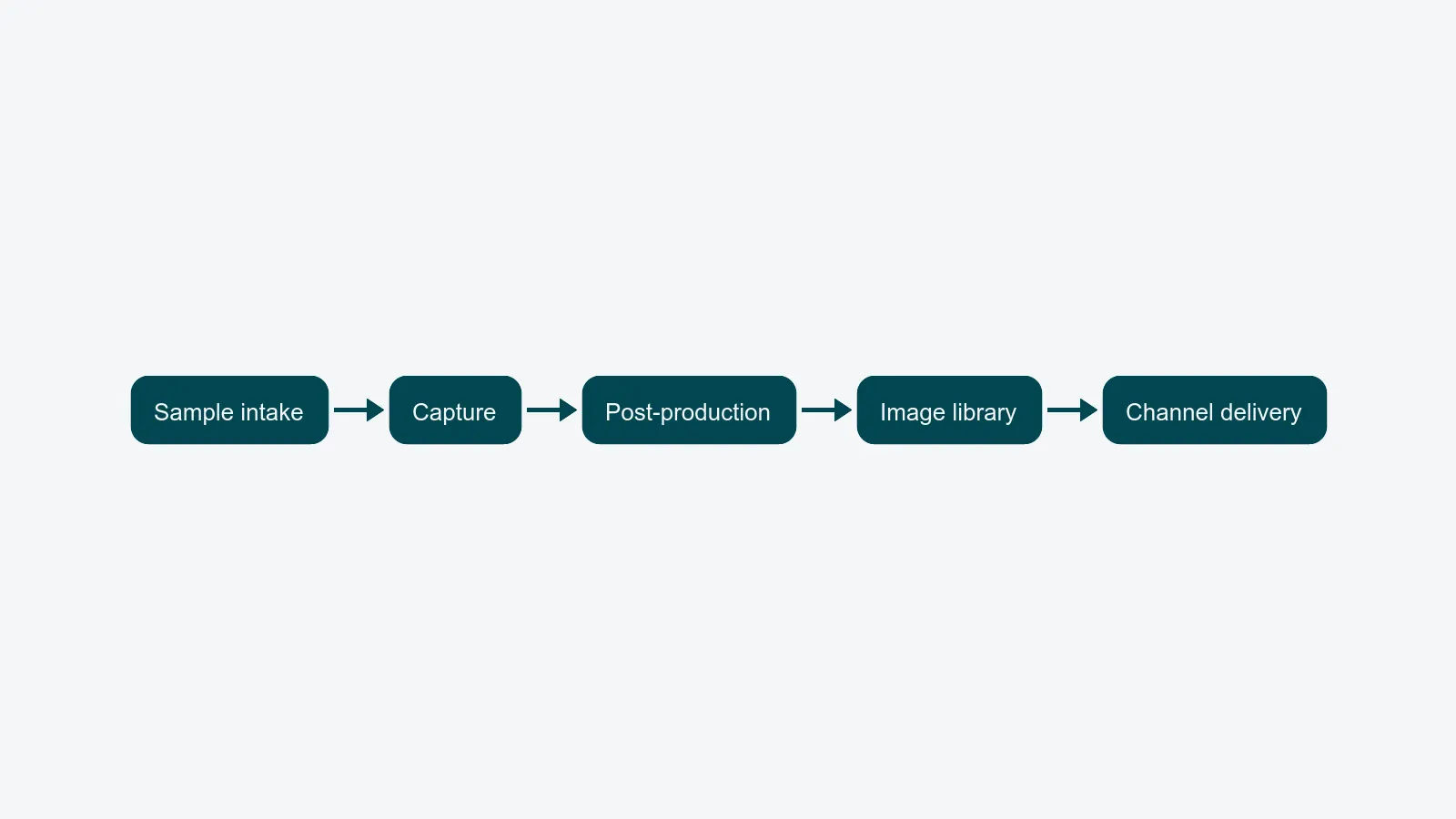
A PIE platform is not a single feature - it is a workflow spanning all three. Where a generic project tool stops at "task done," a PIE tool tracks an asset from sample intake through retouching and into the live PDP, with a single job ID linking every step.
What PIE software does
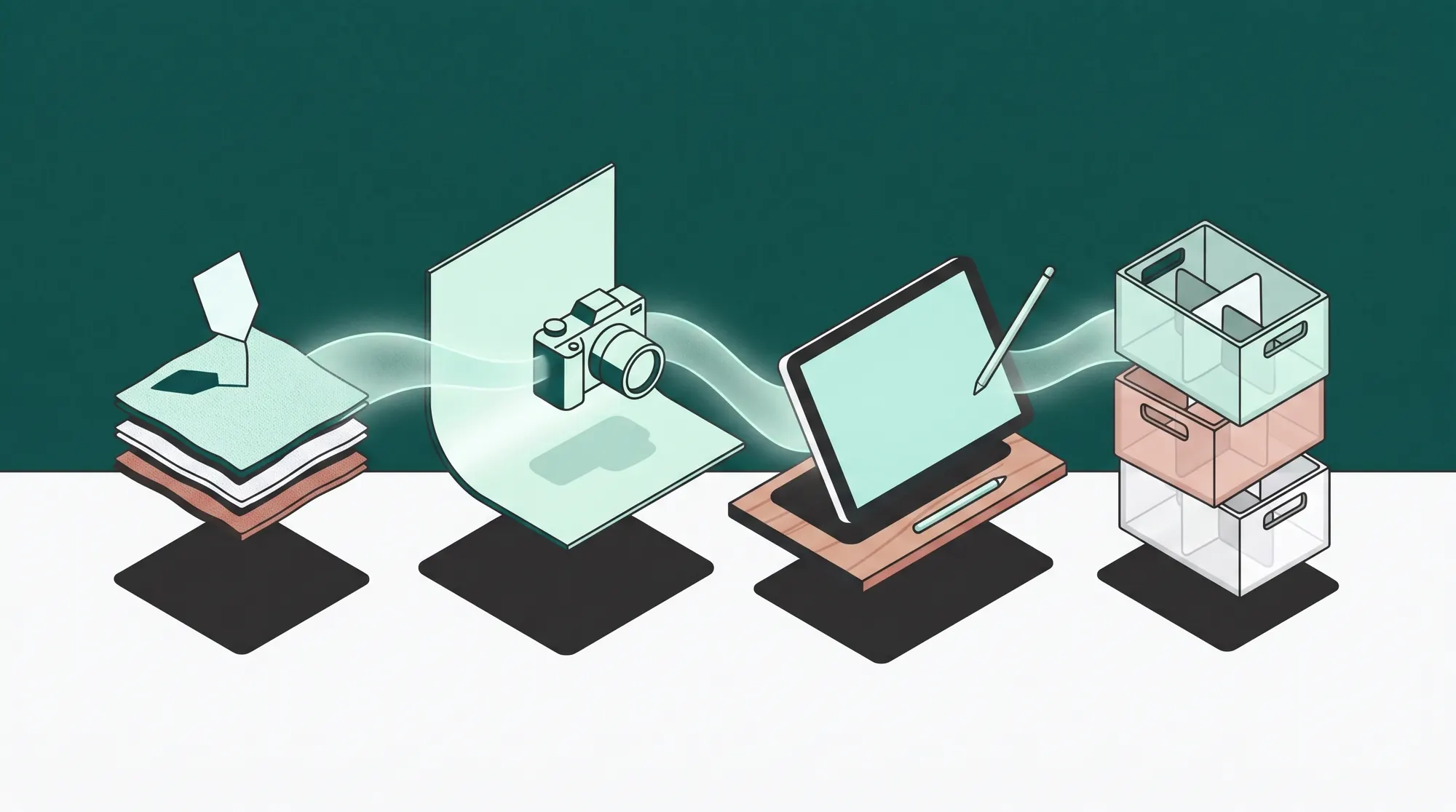
A typical PIE platform covers four operational layers.
1. Workflow automation
Jobs move through defined stages - intake, capture, retouching, review, delivery - without manual handoffs. SLAs and deadlines are attached to job IDs, not Slack threads. The workflow automation layer is what separates a PIE platform from a folder of shared spreadsheets.
2. Image processing automation
PIE tools either include or integrate AI-based image processing: background removal, auto-cropping, color profiling, batch resizing, and format conversion for each output channel. A single approved master can produce dozens of channel-ready renditions without a retoucher touching them again.
3. Asset management
A structured library - effectively a digital asset management system - holds every approved file with metadata (SKU, season, channel, model release, rights expiry). This is the "I" in PIE: not file storage, but a queryable record system where each asset is a database row with the binary attached.
4. Channel distribution
The "E" layer pushes finished assets to where they sell: a PIM that owns product data, marketplaces with strict format rules (Amazon, Zalando, About You), the brand's own storefront, paid social, wholesale portals. The distribution layer handles per-channel renditions, naming conventions, and audit trails so no one re-exports the same packshot manually for the fifth time.
PIE vs. DAM
These get conflated, and they shouldn't.
A DAM - digital asset management - is the storage and retrieval layer for finished creative assets. It answers "where is the approved hero packshot for SKU X, valid for Q4?" It owns metadata, versioning, rights, and renditions.
A PIE platform is the operations layer that produces the assets a DAM stores and distributes. Post-production queues, sample tracking, capture-to-edit pipelines, review loops, and channel delivery are PIE concerns; long-term governed storage is a DAM concern. Most PIE platforms include a DAM as one of their modules - but a standalone DAM does not produce content, it only catalogs it. For a deeper definition, see what is a DAM.
A studio that has only a DAM still runs its production in spreadsheets. A studio that has only a PIE platform without DAM features ends up bolting one on within a year.
PIE vs. PIM
A PIM - product information management - is the system of record for product data: descriptions, attributes, pricing, translations, taxonomy. It does not produce or manage images at scale; it stores references to them.
A PIE platform is the system of record for the imagery and the work that produces it. PIM and PIE need to talk to each other - a SKU's record in the PIM points to its current packshot in the PIE platform, and the PIE platform pushes new approved renditions back when retouching finishes a job.
A useful rule of thumb: if a question is about the product (price, copy, attributes), it lives in the PIM. If it is about the asset (which packshot, which crop, which channel, who approved it), it lives in the PIE platform.
Where content operations platforms fit
"Content operations platform" is the umbrella category that PIE belongs to. Some vendors market themselves as content operations, some as PIE, some as creative production management - the boundaries are fuzzy. What matters is the scope:
- A content operations platform covers planning, production, governance, and distribution of branded content across teams, channels, and lifecycle.
- A PIE platform is content operations specialized for studios that produce e-commerce imagery at volume - packshots, on-figure, ghost mannequin, 360, lifestyle. The post-production and channel-delivery emphasis is what makes it PIE rather than generic content ops.
For a brand running a small marketing team, generic content operations may be enough. For a studio shipping thousands of SKUs a season, PIE-grade tooling is the only stack that holds together.
When a studio needs PIE software
The signal is operational, not aspirational. A studio needs a PIE platform when:
- Sample handling breaks down. Reshoots driven by lost or mislabeled samples cross a few percent of jobs.
- Retouching queues lose visibility. Editors do not know which jobs are due tomorrow versus next week.
- Channel exports duplicate. The same approved master gets re-exported by hand for Amazon, Zalando, the storefront, and paid social - and the versions drift.
- Review lives in email. Client feedback arrives in threads with screenshots and attachments that no one can find a week later.
- Reporting is impossible. Leadership cannot answer "what did we ship last quarter, at what cost per asset, with what turnaround?"
When two of those are true, a generic tool stack (Asana plus Dropbox plus Gmail plus a spreadsheet) is already the bottleneck. A PIE platform consolidates them into one system with one job ID and one audit trail.
Types of PIE tools
The category breaks into roughly three shapes:
- Workflow-first platforms that lead with sample tracking, capture integration, and retouching queues. Strong on production throughput, weaker on long-term asset governance.
- DAM-first platforms with workflow modules added on. Strong on asset governance and brand control, weaker on the messy realities of studio production.
- Full PIE platforms that integrate workflow, DAM, and channel distribution as one product. This is where dedicated content operations platforms - including PixelAdmin - sit, and what most high-volume studios end up consolidating onto.
For a Head of Content Production evaluating vendors, the practical test is whether one platform covers all three letters of PIE end-to-end, or whether you are buying a workflow tool that calls itself PIE because it has a file browser.
Where to go next
If you are scoping a PIE platform for your studio, two next steps:
- Read what is a DAM to understand the asset management layer in depth before evaluating combined platforms.
- See how PixelAdmin for studios consolidates the full PIE stack - workflow, DAM, distribution, and reporting - into one system.
PixelAdmin is built specifically for high-volume content production where post-production, image management, and e-commerce delivery have to behave as one workflow. If a unified PIE platform sounds like what you have been trying to assemble out of generic tools, book a demo and we will walk through your production with you.