
Define how images
move. Automatically.
Workflow automation for photo production: set the rules once and let the platform move each image forward - one asset at a time, getting products live faster.
Photo approved? Send to editor. Rejected? Create a reshoot.
The same production workflow automation for in-house content studios at brands and commercial photo studios.
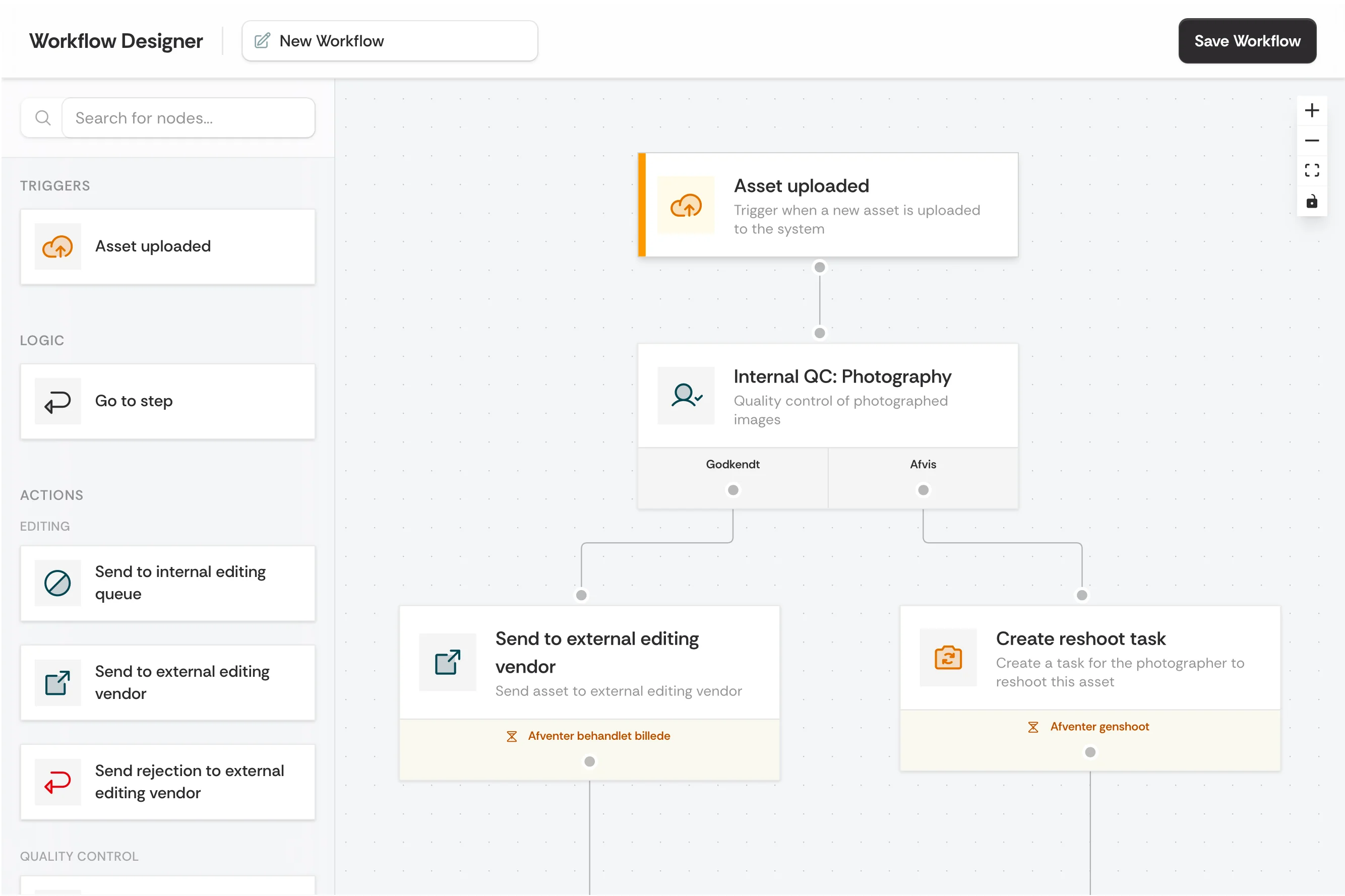
A workflow is just a rule
you set up once.
WHEN something happens, the platform automatically moves the image forward - based on the conditions you set. No manual coordination, no lost images.
Release to webshop & PIM, and notify the e-commerce team.
Send back to retoucher with QA feedback.
Chain multiple rules together, and they become your entire production flow - from sample received to delivered asset.
Same engine.
Your flow.
Whether you run in-house for a single brand or produce for many clients - build the rules that match your reality. No code, in minutes.
High-volume seasonal launch
2,000 SKUs are imported for the SS26 campaign
- Create photo jobs automatically and assign them by product category
- Set deadlines based on the launch date
- Release to webshop & PIM as soon as QA approves
Delivery per client
A shoot for Client A is marked as ready
- Automatically apply the client's style guide and naming conventions
- Route to the assigned retoucher for that client
- Deliver to the client's DAM and notify the contact person
Everything you need to
automate your production.
From simple triggers to complex if/else logic -
everything you need for production workflow automation, built for your production.
Trigger-Based Workflows
Every workflow starts with an event: a sample arrives → create a photo job. Images uploaded → trigger AI tagging. You define what sets the flow in motion.
Conditional Routing
Control where images end up based on results. Approved? → Release to channel. Edit rejected? → Return with comments. High priority? → Skip the queue.
Smart Notifications
Notify the right people at the right time. Retouchers get pinged when new images are waiting. Studio managers see when a deadline is at risk.
Real-time Analytics
See where images pile up and which steps take too long. Identify whether retouching or approvals are the bottleneck.
Approval Gates
Insert approval steps where they count. Nothing is published until QA has approved. Stakeholders can review directly in the platform.
Auto-Retry & Error Handling
If a step fails - like an export or AI processing - the system automatically retries. You get notified, and the rest of the flow keeps moving.