
Focus on shooting.
Not on admin.
Software for studio and product photographers. PixelAdmin removes the guesswork: every shoot has a clear shot list, tethered capture integrates seamlessly with Capture One, and every image flows automatically to the next step - whether you shoot for internal brands or external clients.
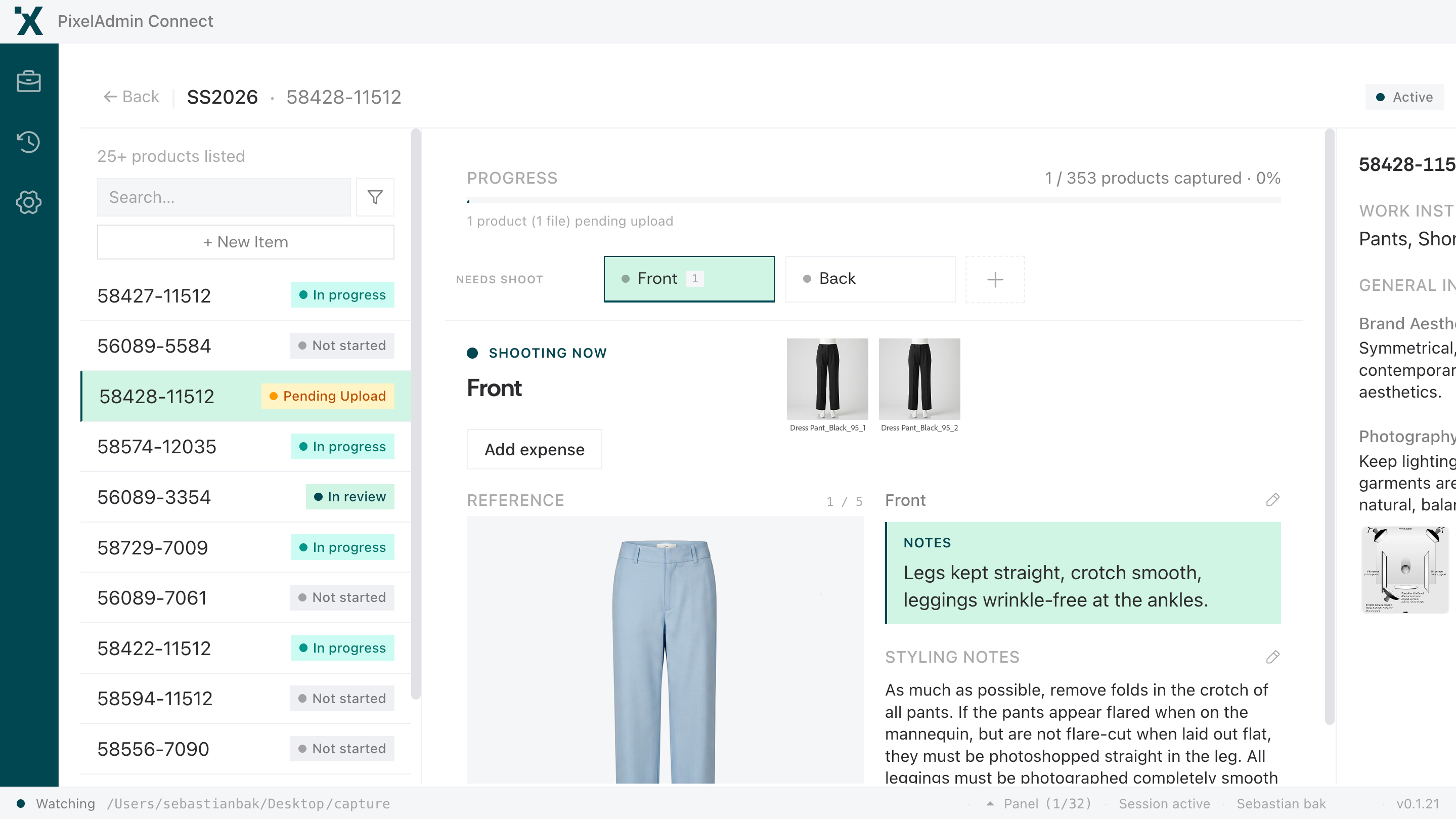
Dedicated app
Works side-by-side with Capture One
Image status
Required shots & what’s missing
Photographer Instructions
Product-specific guides at the station
A typical day with guesswork and clutter
Most photographers struggle with unclear specs, manual file handling, and a lack of overview. The result? Hours wasted on admin instead of shooting.
Unclear specs
Which angle? Which background? You guess - and risk reshoots.
Printed style guides
Printed PDFs that are outdated before the ink is dry. No updated specs on set.
Manual file handling
Copying files manually, renaming them, uploading to FTP. Hours wasted on admin instead of shooting.
No overview
What needs to be shot today? For whom? You only find out when the order drops in.
Lost images
Files disappearing in folders. Wrong versions sent on. No traceability.
Duplicate work
The same product shot twice because nobody knew it was already done.
Sound familiar?
PixelAdmin simplifies your day.
Built for the photographer's workflow in studio production
Digital style guides
Interactive style guides with angles, lighting setups, backgrounds, and reference images. Always updated and accessible directly on set.
Clear task lists
See exactly what needs to be photographed. For which brand. With which specs.
Automatic upload
Images flow seamlessly from Capture One into PixelAdmin. Correct naming. No manual file handling.
Job dashboard
Live overview of the daily plan, image counts, progress, and upcoming tasks.
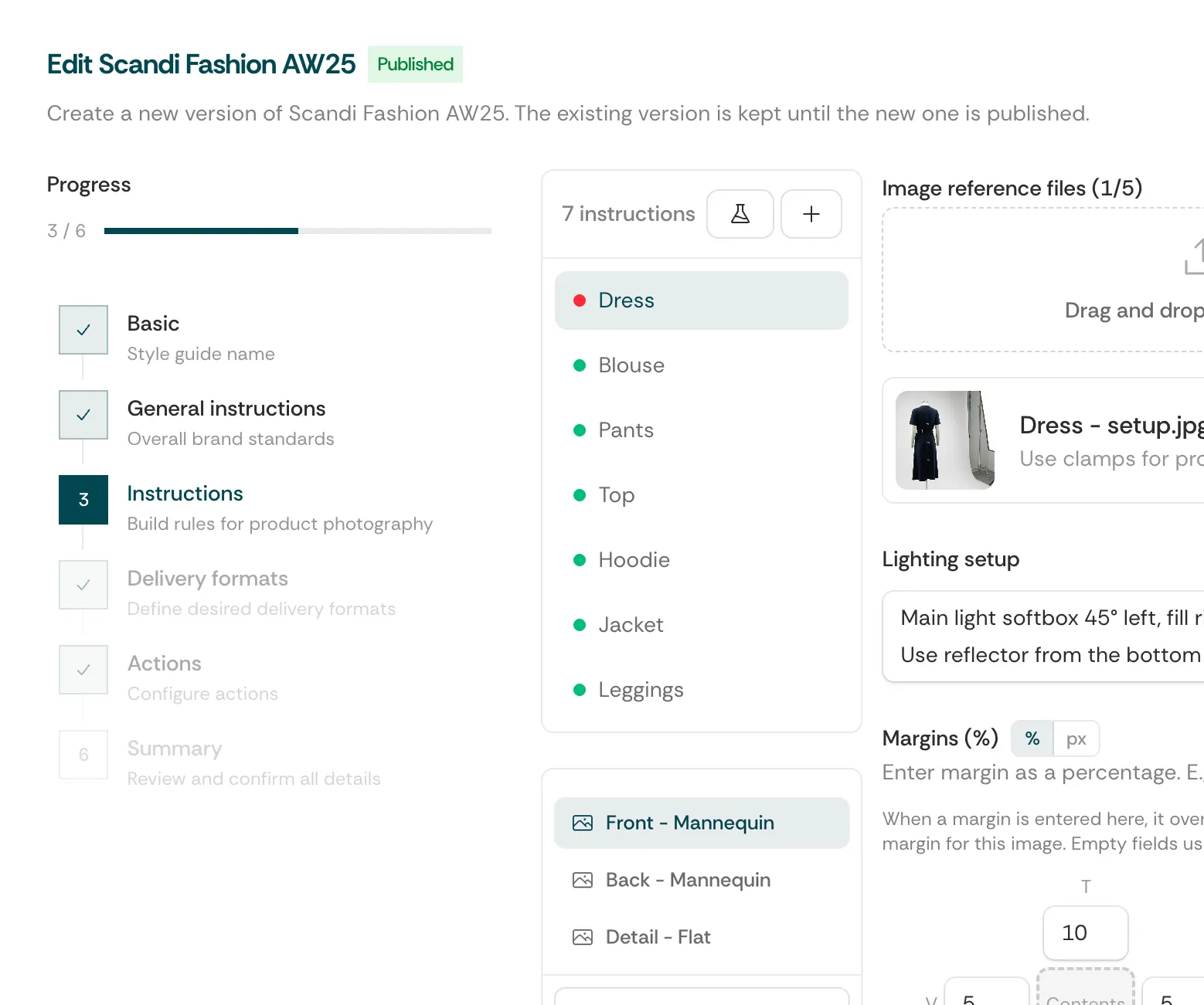
Style Guides that are alive.
Forget static PDFs. PixelAdmin's digital style guides update in real-time and are always accessible right on set.
Visual specifications
Precise requirements for backgrounds, lighting, angles, and composition.
Reference library
Reference images and approved examples right in the style guide.
Photographer app integration
The style guide is displayed directly in the capture app on set. No printed PDFs or outdated documents.
AI style guide generation
Upload a PDF style guide and your product sheet - our AI automatically creates a ready-to-use digital style guide. Zero manual setup.
Auto-upload.
Zero file handling.
PixelAdmin works with Capture One and fits into your tethered capture workflow. Images are uploaded automatically with correct file naming - you focus on shooting.
Shoot
Shoot in Capture One just like normal. Nothing new to learn.
Everything Handled Automatically
Images are matched to the product, named correctly, and uploaded to PixelAdmin - automatically.
Ready for Production
Images flow seamlessly into editing and review without any manual handling.
Always know what you shoot next.
No more surprises. A digital shot list for the photographer aggregates the entire daily schedule with precise specs, deadlines, and briefs - for internal brands as well as external clients.
Prioritized task queue
Tasks sorted by deadline and priority.
Brief directly on the task
Which brand? Which specs? Everything is gathered directly on the task.
Time estimates
See estimated time per job and plan your day efficiently.
One-click completion
Mark a job as done. The next step triggers automatically.
From morning till handoff
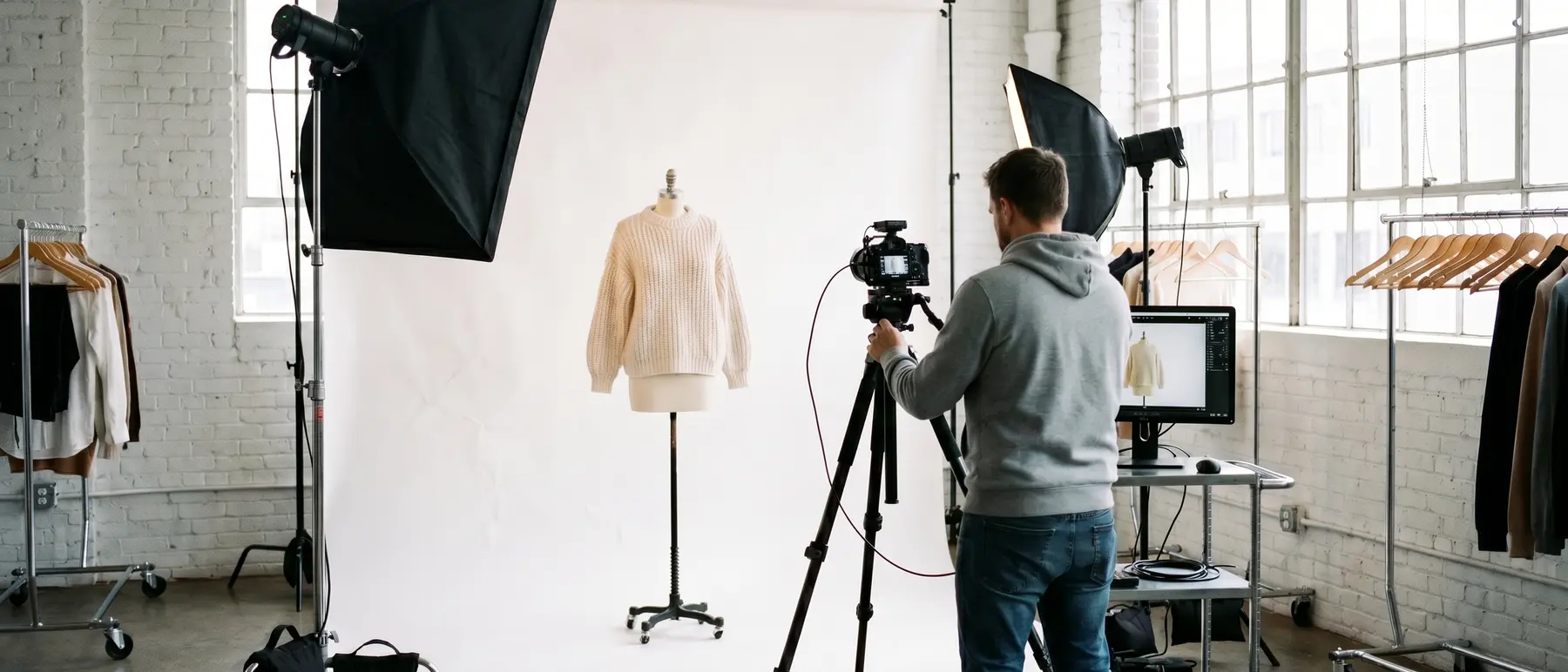
The shoot day runs in a single flow - the style guide is at the set, and the images upload automatically.
Check the daily plan
Open the dashboard, see what needs shooting, review style guides.
Shoot
Style Guide at the set. Automatic upload from Capture One.
Status overview
See shot counts, completed jobs, and outstanding tasks.
Done
All images uploaded automatically. Retouching starts without your involvement.
From guesswork to precision
Based on platform design and workflow analyses. Your actual results depend on current processes and implementation.
- Printed PDF style guides
- Manual FTP uploads
- Unclear specs and reshoots
- No daily schedule overview
- Hours spent on file handling
- Living digital style guides
- Automated Capture One uploads
- Precise specs with every shot
- Live job dashboard
- Zero manual file handling

Convinced?
Share it with your manager.
Send a link to your studio manager or head of production - we've created a page outlining the benefits for the entire team and the business.
The link leads to our studio managers page
See how PixelAdmin fits in for in-house brand and e-commerce studios or commercial photo studios with client deliveries.