

If you've shot tethered for any length of time, you know the difference between a clean session and a cursed one isn't the camera. It's everything around it. A bad cable, a folder named "Untitled Session 7," a retoucher who can't find the files, and the day stalls. This piece is about the tethered capture workflow that actually holds up at e-commerce volume: 200 SKUs in a day, four-week campaigns, several buyers waiting on the same dropbox link.
It's written for photographers who don't want to read another article about "harnessing the power of digital." It's about cables, folders, and where files go after you press the shutter.
TL;DR
- Tether for QA and approvals, not just the gigabyte savings - the real win is catching focus and exposure on the spot, before the sample goes back in the box.
- Pick capture software you can drive blindfolded. Capture One Pro and Lightroom Classic both work; the choice that matters is consistency across your studio.
- Bake naming and folder structure into the session before you fire frame one. Renaming 1,400 files at the end of the day is a tax you pay forever.
- Skip the export step. Retouchers should receive raw files via the same system you shot to - not via WeTransfer the next morning.
- Shoot-to-cloud earns its keep when retouching is remote or when buyers want proofs same-day. For local studios with on-site editors, a fast tether and a shared volume usually beats it.
Why tether at all in high-volume e-commerce
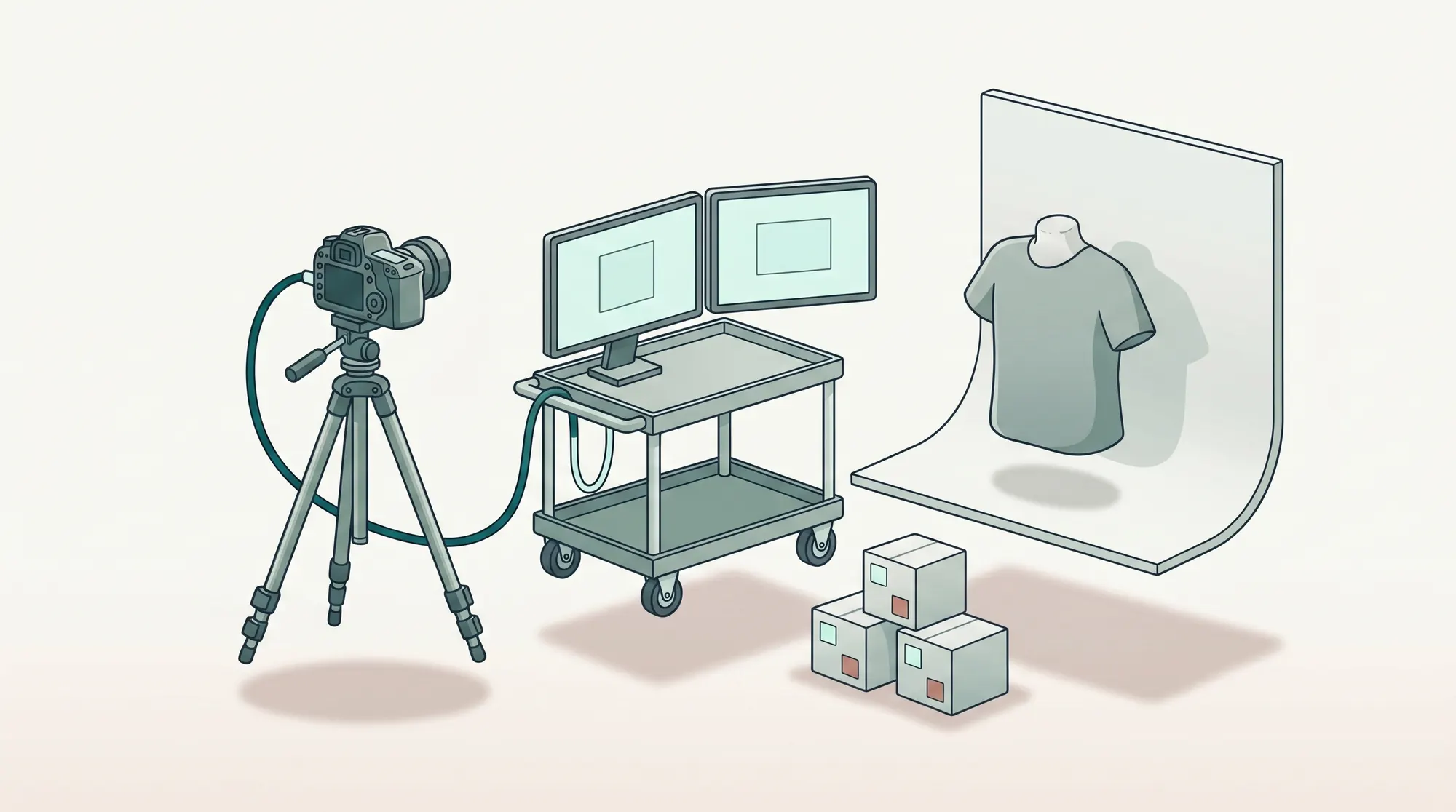
There's a tempting shortcut where you shoot to card, hand the card to an assistant, and trust that everything sorts itself out by retouch. It works for one or two products. By product 50 you've reshot three of them, lost one to a corrupt file, and the brand assistant is asking when she can see proofs.
Tethering solves three problems at once:
- Focus and exposure verification at full resolution. Camera screens lie. A 27-inch calibrated monitor doesn't.
- Immediate stakeholder review. The brand merchandiser sitting next to you can flag the wrong belt buckle before you move to the next look.
- A single, ordered destination for files. No card management, no "where did the morning batch go?"
For e-commerce specifically - where every product needs the same crop, lighting, and angle - tethering is also how you keep the set honest. A reference image pinned to the second monitor, the live capture next to it, drift caught in real time. None of that is possible with a card-based workflow.
Tether is how files move; the shot list is what tells the photographer which frames need to exist in the first place. That discipline - mapping every cell in the list to a verified capture before the sample leaves the cyc - is a separate piece, covered in shot-list-driven capture from sample to verified frames. The rest of this article is about the pipeline underneath it.
Capture software fundamentals
Two pieces of software cover most professional studios: Capture One Pro and Adobe Lightroom Classic with Tethered Capture. Both have mature tethering, both support most current Canon, Nikon, Sony, and Fujifilm bodies, and both will save your session if the software crashes mid-shoot. Capture One's tethered capture overview lists the supported camera-and-OS combinations and is the canonical reference when you're spec'ing a new body - check it before you commit to hardware (support.captureone.com).
Pick one and standardize your studio on it. The version-control nightmare comes from running two - sessions made in Capture One don't open in Lightroom and vice versa, and a retoucher who's expecting a Capture One session catalog can't open a Lightroom catalog without re-importing.
Three settings worth committing to memory:
- Capture Pilot or second-screen view: mirrors live to a separate monitor for the merchandiser.
- Auto-apply styles or presets on import: flat color profile, lens correction, white-balance preset for the studio's lighting setup. Removes the "every retoucher starts from a different place" problem.
- Capture folder + naming token: set once, runs all day. More on that below.
Naming and folder discipline at the camera
This is the lever that pays back the most for the least effort, and it's the one most photographers skip because it feels boring at 09:00.
A workable naming convention has four tokens:
{job_id}_{sku}_{angle}_{frame}
For example: J-2026-118_SKU8842_FRONT_0003.iiq. That single string tells a retoucher, an asset manager, and a downstream PIM exactly what they're looking at. No spreadsheet lookup required.
A few rules that don't bend:
- Job ID at the front. When 40,000 files share a working drive, the job ID is what makes them sortable.
- No spaces, no special characters. "Spring/Summer 26" becomes
SS26. Diacritics break batch scripts and FTP delivery. - Frame counter last. Lets retouchers see at a glance which is the hero frame and which is the safety.
Folder structure tracks the same logic: /jobs/J-2026-118/raw/ for capture, /jobs/J-2026-118/retouch/ for working files, /jobs/J-2026-118/delivery/ for finals. If you're using a content operations platform, this should be enforced automatically by workflow automation - the photographer doesn't think about folders, the system creates them and routes files into them.
Handing off to retouch without exporting
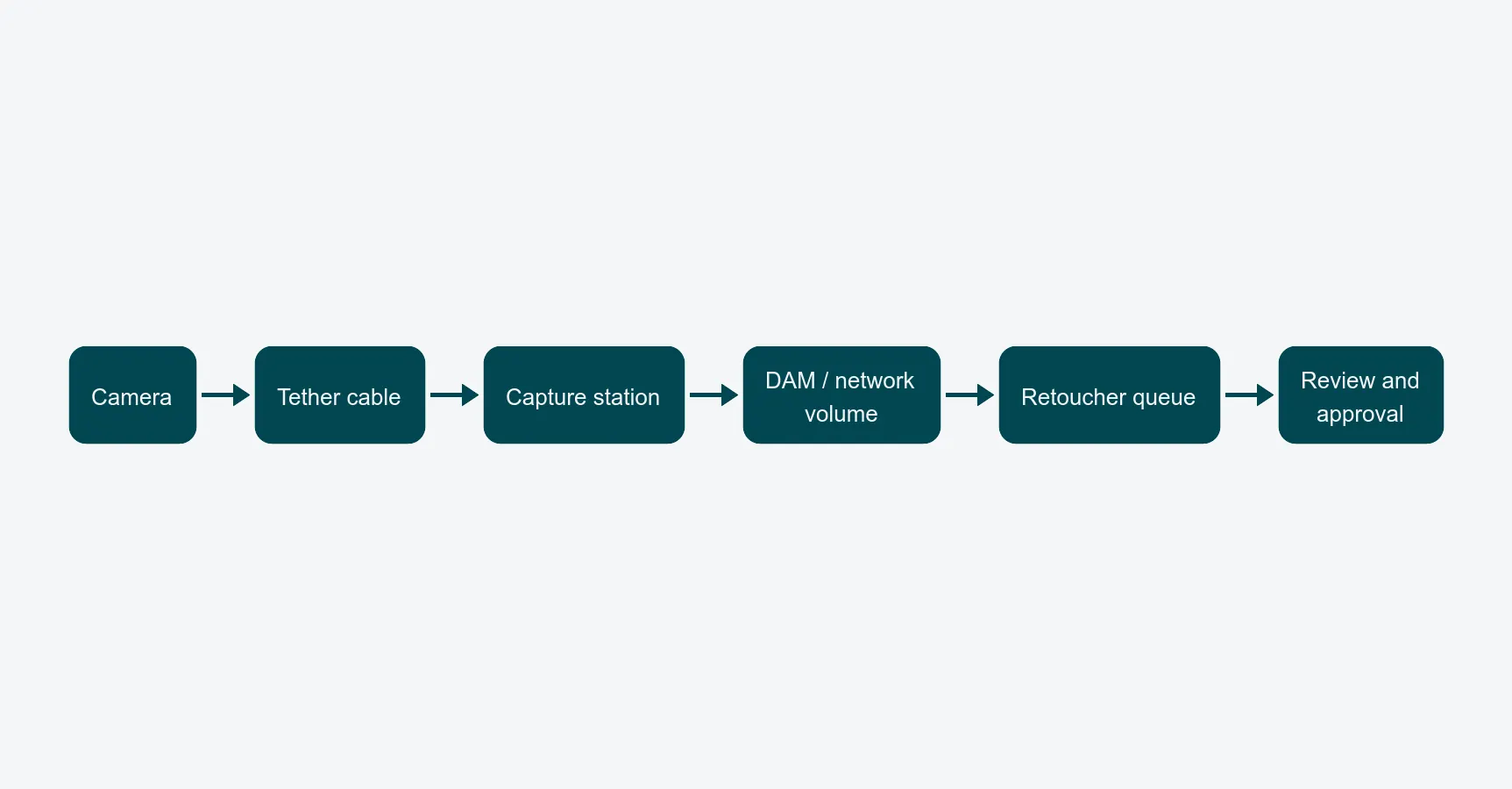
The single biggest time leak in a tethered workflow is the end-of-day export. The photographer wraps, copies files onto a portable drive, walks them to retouching, the retoucher imports, and an hour is gone before any retouching starts. Multiply that by 200 shoot days a year and you've lost a junior retoucher's annual capacity to file transfers.
The fix is structural, not motivational. If the capture session writes to the same storage your DAM or shared volume uses, retouchers see the files appear in their queue while you're still shooting. By the time you're packing up, the morning's batch is already being processed.
The setup that works in practice:
- Tether destination is a network volume or a synced cloud folder, not a local drive.
- Capture software writes raw + sidecar (
.xmpor session settings) - never just JPEG previews. - The retouching queue auto-picks new files based on metadata, sorted by deadline.
If your studio still emails ZIP files at 18:00, that's the workflow to fix first. The tethering itself is fine; the pipe at the end of it is broken.
When shoot-to-cloud earns its keep
Shoot-to-cloud - where every frame lands in cloud storage as it's captured, not just on local disk - has become realistic in the last two years. It's worth it when:
- Retouching is remote or distributed. Editors in a different city see files within seconds of capture, with no manual syncing.
- The buyer is reviewing same-day. Marketing wants today's hero shots before approving tomorrow's brief.
- The shoot is on location. A studio NAS doesn't help if you're shooting at a warehouse 200 km away.
It earns its keep less when:
- Editors are sitting in the next room. A 10 GbE tethered network beats any cloud upload.
- Bandwidth at the location is unreliable. A half-uploaded raw is worse than a fully buffered one. Always keep the local capture as the source of truth, with cloud as a mirror.
A practical rule: shoot to local first, mirror to cloud second. Never shoot directly to cloud as the only copy. Connection drops happen, and a missing frame in a 1,400-shot day can cost you a reshoot.
Common failure modes - and the practical fixes
The same five problems eat shoot days everywhere.
Cable disconnects mid-shoot. USB-C is convenient and unreliable. Locking USB cables (Tether Tools, Capture One certified) cost more and pay for themselves the first time you don't lose 20 frames. Run them through a strain relief on the body grip.
Wrong-color previews. Tether previews look great, the brand assistant approves, retouching opens the raw and the white balance is off. Calibrate the preview monitor monthly, use the same ICC profile from capture through delivery, and reference Adobe's color-management documentation if you're spec'ing a new pipeline (helpx.adobe.com).
Session catalog corruption. Capture One and Lightroom both occasionally break session catalogs at high frame counts. Save the session as a project at lunchtime, not at end-of-day.
Files that vanish into a folder no one named. Set the capture destination at session start and verify the first frame lands where you expect. Don't trust defaults from the previous session.
Sample mix-ups at the camera. SKU labels fall off products at peak hours. A barcode scan into the capture software's metadata field - or a tighter integration with your sample management - is the only reliable fix at volume. Eyeballing belts and tags doesn't scale past about 80 products a day.
Closing
A good tethered capture workflow is mostly invisible. You set it up once, the photographer presses the shutter, and the file ends up exactly where everyone downstream expects it. None of this is glamorous. All of it is the difference between a 200-SKU day that lands on time and a 200-SKU day that becomes a 250-SKU day plus reshoots.
If you want to see how a unified content operations platform absorbs the capture stage, the photographer role page walks through the studio-side experience and the Capture One integration. The broader production line is covered in the packshot workflow guide, and the math on what a tighter handoff is actually worth is in the breakdown of how to reduce packshot turnaround time.